Building Production-Ready Cortex XDR Integrations
Learn how Cortex XDR integrations connect to other security platforms for reliable automation.
Designing Secure, Scalable, and Reliable Integrations That Stand the Test of Production
Cortex XDR integrations operate in environments that continually change over time, with APIs evolving, authentication methods being updated, new event types being introduced, and data models shifting.
Accounting for these changes from the outset is essential to maintaining stability and consistency in production. Security telemetry grows from thousands to millions of events per day. Without continuous engineering and maintenance, integrations can become unreliable, data quality can degrade, and security operations can lose the context they depend on.
As such, building a production-ready Cortex XDR integration requires far more than merely connecting APIs. It demands resilient architecture, secure authentication, careful data mapping and transformation, performance optimisation, and ongoing maintenance to ensure integrations remain reliable as both security platforms and enterprise environments evolve.
This guide explores real-world Cortex XDR integration use cases, the requirements for production readiness, and the architecture and engineering principles that support secure, scalable, and maintainable integrations.
Real-World Use Cases of Cortex XDR Integrations
Cortex XDR, like most comprehensive cybersecurity platforms, rarely operates in isolation. Different security platforms hold different parts of the context needed for detection, investigation, and response, which is why integrations become important across the broader security stack.
Below are a few examples of common real-world use cases.
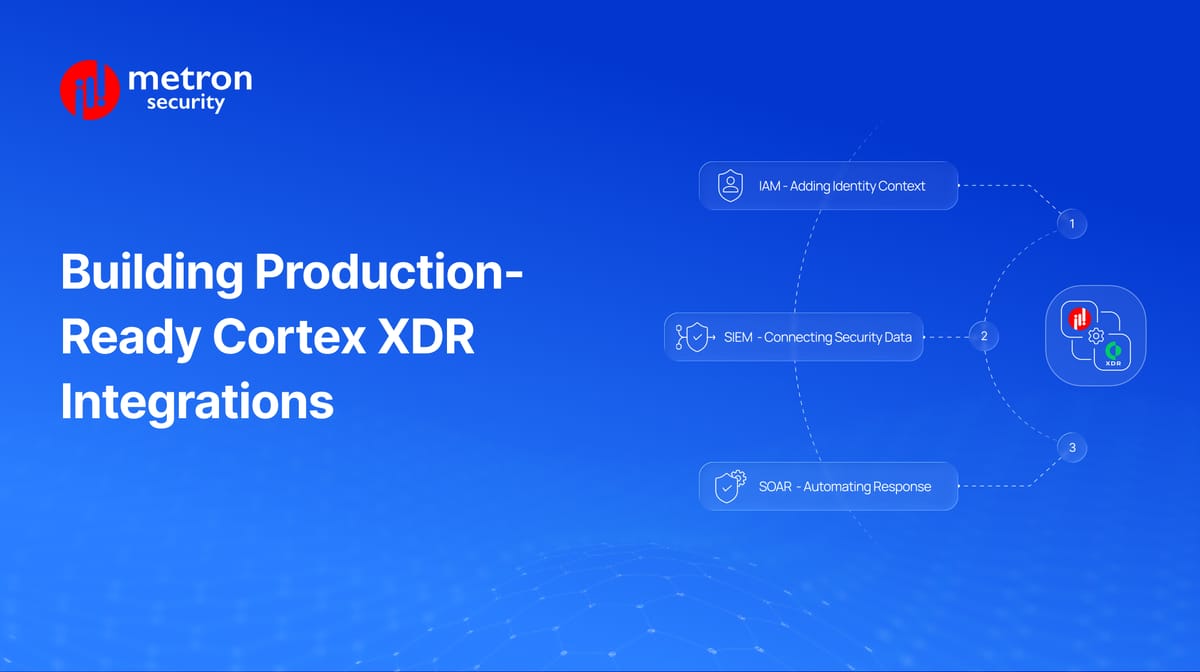
IAM - Adding Identity Context
Challenge: When a user account is compromised, signs of the attack may appear across different systems. Cortex XDR may detect suspicious activity on the user’s device, while unusual logins, MFA failures, or privilege changes appear in the identity platform. Without this identity context, it can take longer to understand the full attack.
How Integration Helps: Identity and authentication data from platforms like Okta, Microsoft Entra ID, or PingOne can enrich Cortex XDR incidents, helping analysts connect suspicious endpoint activity with the user behind it.
How Metron Can Help: Metron builds and maintains integrations that bring user, authentication, MFA, privilege, and identity-risk context into Cortex XDR.
SIEM - Connecting Security Data
Challenge: Security teams may investigate activity across both Cortex XDR and their SIEM. When alerts, incidents, and supporting context do not move cleanly between the platforms, analysts may need to manually correlate information across systems.
How Integration Helps: Connecting Cortex XDR with platforms like Splunk, Microsoft Sentinel, QRadar, or Elastic allows alerts, logs, and incident information to move between the systems for investigation, correlation, and incident handoff.
How Metron Can Help: Metron handles API connectivity, data mapping and transformation, validation, testing, and ongoing maintenance so data is delivered to Cortex XDR in the expected format.
SOAR - Automating Response
Challenge: After Cortex XDR detects a threat, teams may still need to take several actions across different security tools. Manually starting each response action, updating incidents, and tracking progress takes time and can slow down containment.
How Integration Helps: Connecting Cortex XDR with SOAR platforms allows incidents to automatically trigger playbooks for enrichment, containment, remediation, and incident updates.
How Metron Can Help: Metron builds bidirectional integrations between Cortex XDR and SOAR platforms, including playbook triggers, response actions, incident synchronization, testing, and ongoing maintenance.
Is Your Cortex XDR Integration Really Production-Ready?
A successful API connection does not always mean an integration is ready for production. The real test is how it behaves when conditions change.
Some key questions to consider include:
What happens at scale? Can the integration continue performing reliably when event volume grows 10×?
What happens when APIs push back? Can it handle rate limits, throttling, timeouts, and retries without disrupting data flow?
What happens when something fails midway? Can it recover from partial failures without losing or duplicating data?
What happens when authentication changes? Can it handle expired credentials, token refreshes, and credential rotation securely?
What happens when the platform changes? How quickly can the integration adapt to new API versions, schemas, or vendor requirements?
If these answers are unclear, the integration may be connected, but not truly production-ready. Addressing them requires an architecture designed to support reliability, scale, recovery, and change over time.
Understanding the Cortex XDR Integration Architecture
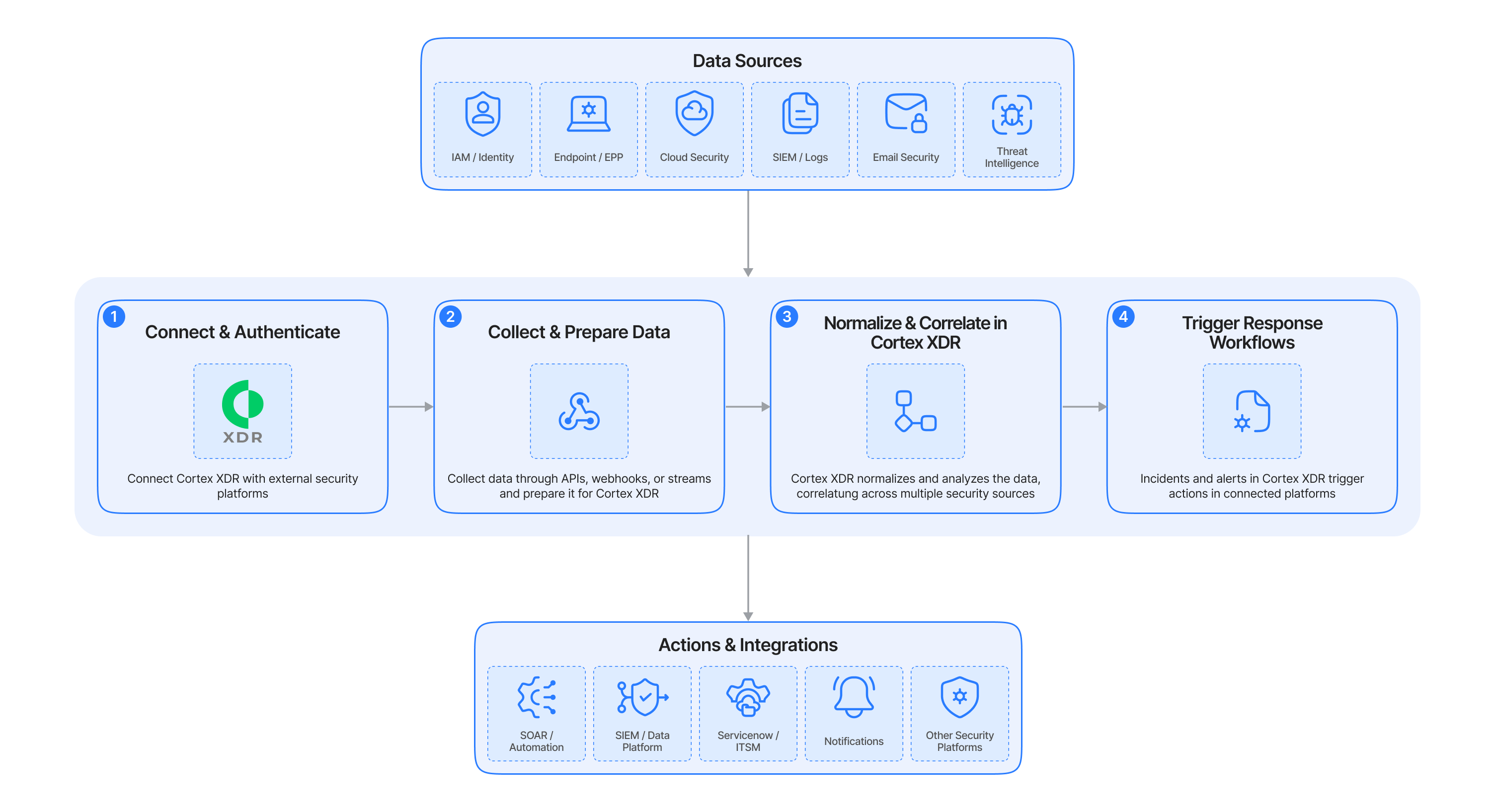
A Cortex XDR integration connects external security products with Cortex XDR so security data can be collected, prepared, analyzed, and used in investigation and response workflows.
The flow below shows the integration at a high level. A production implementation typically includes additional engineering for retries, rate limits, error handling, monitoring, scaling, and recovery from partial failures.
1. Connect and Authenticate
The integration first connects Cortex XDR with platforms such as IAM, SIEM, cloud security, threat intelligence, or other security products.
Communication is secured using methods such as OAuth, API keys, or service accounts, with appropriate permissions and secure credential handling.
2. Collect and Prepare Data
The integration collects security data through APIs, webhooks, scheduled syncs, or event streams.
Because every product structures data differently, the integration maps, transforms, and validates the incoming data so it reaches Cortex XDR in the expected format. For large data volumes, it also handles requirements such as pagination, retries, filtering, and API rate limits.
3. Normalize and Correlate in Cortex XDR
Once supported data reaches Cortex XDR in the expected format, Cortex XDR applies its normalization and analytics capabilities.
This allows information from identity, endpoint, network, cloud, and other security sources to be connected, giving analysts more context during an investigation.
4. Trigger Response Workflows
Cortex XDR incidents can then trigger actions in connected platforms—for example, starting a SOAR playbook, sending an incident to a SIEM, or creating a ServiceNow ticket.
This helps security teams move from detection to investigation and response with less manual work.
Conclusion
Modern security operations depend on connected technologies working together rather than operating in isolation. Cortex XDR plays a central role in this ecosystem by correlating telemetry from multiple security platforms, enriching investigations, and enabling coordinated response across the organization.
However, achieving these outcomes requires more than establishing API connectivity. Production-ready integrations must securely authenticate with external systems, prepare and map diverse security data for consistent ingestion, process enterprise-scale workloads, adapt to evolving vendor APIs, and remain reliable throughout their lifecycle.
Organizations that treat integrations as long-term engineering investments, not one-time implementation projects, are better positioned to improve detection quality, streamline operations, and maximize the value of their security ecosystem.
Why Metron Security
Metron Security helps cybersecurity companies design, build, test, scale, and maintain integrations across Cortex XDR, SIEM, SOAR, IAM, cloud security, ITSM, and other security platforms.
Whether you need to launch a new integration, eliminate an integration backlog, or strengthen an existing connector for enterprise-scale deployments, our engineers can help you move from API connectivity to production-ready integration.
For any queries or integration needs related to cybersecurity platforms, please feel free to reach out to us at connect@metronlabs.com